How Practice Management Software Improves Urology Workflows
Urology practices manage a demanding combination of office visits, diagnostic testing, minor procedures, surgeries, recurring treatments, laboratory results, referrals, insurance requirements, and patient follow-ups.
A single patient journey may involve an initial consultation, urinalysis, imaging, medication management, cystoscopy, biopsy, surgery, pathology reporting, and several postoperative appointments. When scheduling, documentation, authorizations, billing, and communication are handled through disconnected systems, even routine work can become unnecessarily complicated.
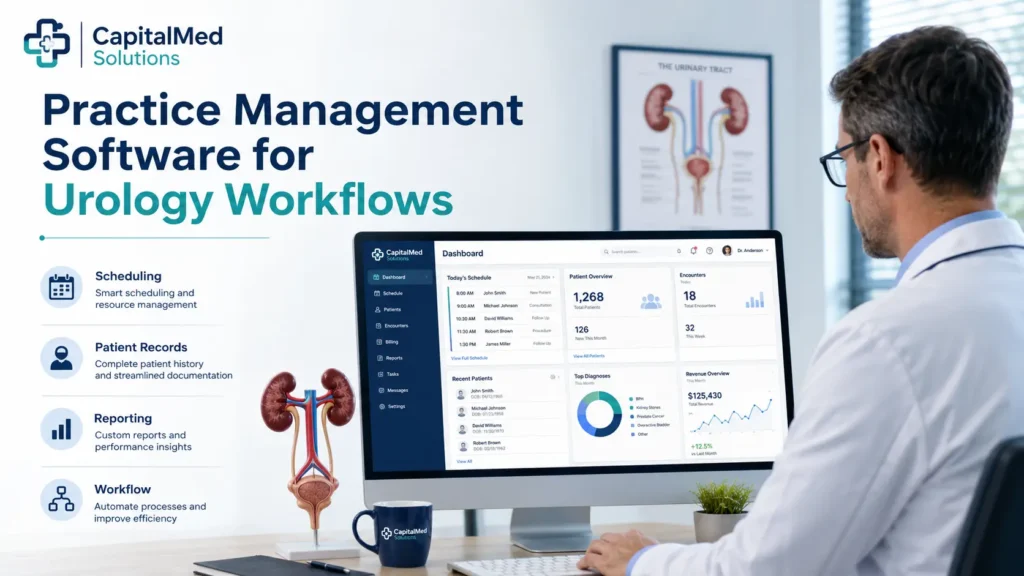
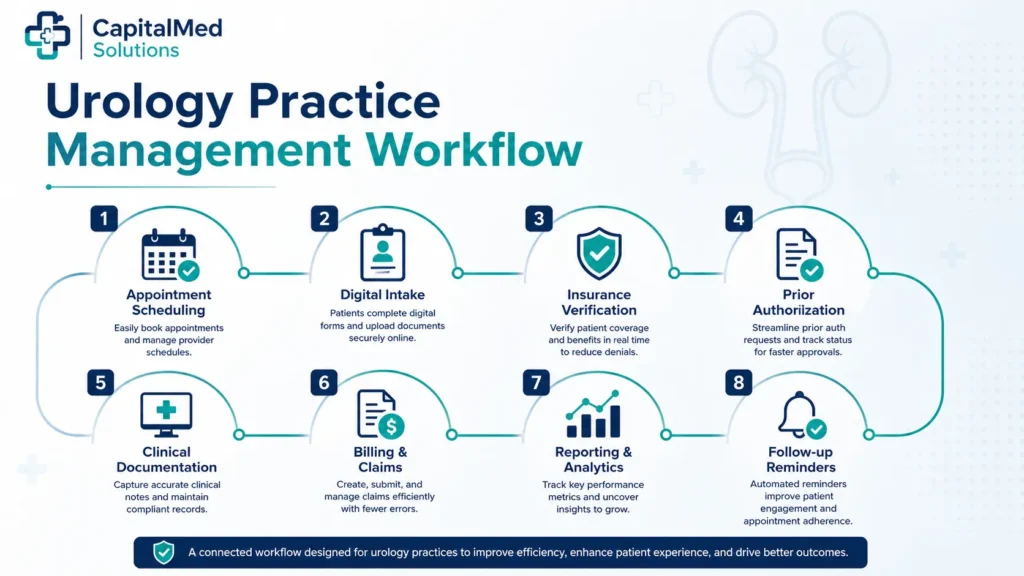
Practice management software for urology brings many of these administrative and financial processes into one connected system. It can help staff schedule the correct appointment type, verify insurance information, track authorizations, capture charges, submit claims, communicate with patients, and monitor practice performance.
The result is not simply a more digital office. When properly configured, the software creates a clearer workflow from the moment a patient requests an appointment until the final payment is collected.
What Is Practice Management Software for Urology?
Urology practice management software is a digital platform used to organize the administrative, operational, and financial activities of a urology clinic.
Unlike an electronic health record, which primarily stores clinical information, practice management software focuses on how the practice operates. It manages the tasks that surround patient care, including registration, scheduling, insurance verification, billing, reporting, and patient communication.
Many modern platforms combine practice management and EHR functions or integrate the two systems so information can move between clinical and administrative teams.
A urology practice management system may include:
Urology covers conditions involving the urinary tract and male reproductive system, with care frequently involving both medical and surgical services. This broad scope makes organized coordination especially important for urology groups.
Why Urology Practices Need Specialized Workflow Software
Not every urology appointment requires the same amount of time, staff support, room setup, equipment, or documentation.
A routine follow-up may require a short appointment. A cystoscopy, urodynamic study, catheter procedure, prostate biopsy, or treatment session may require specific equipment, medications, preparation instructions, authorization status, and trained team members.
Generic scheduling or billing systems may treat these encounters as ordinary office visits. A urology-focused workflow must account for the operational differences between each service.
The right software can connect those requirements so that the front desk, clinical team, billing department, and patient all receive the information they need at the correct stage.
More Accurate Appointment and Procedure Scheduling
Scheduling mistakes can affect the entire day.
A procedure placed in the wrong time slot may create delays, while a missing room or equipment requirement can force the practice to reschedule the patient. Staff may also overlook preparation instructions, medication restrictions, testing requirements, or authorization status.
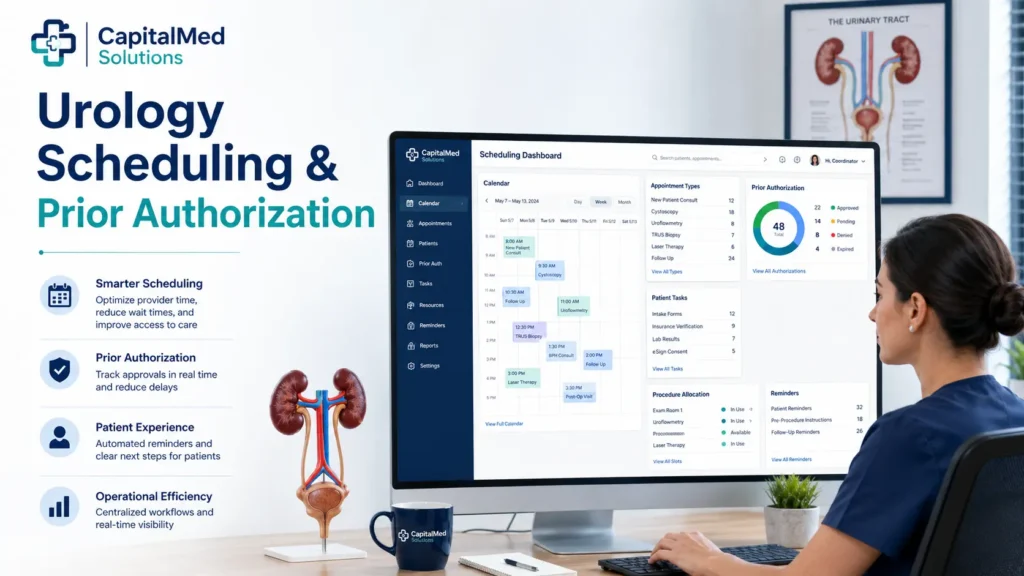
Urology scheduling software can assign specific rules to each appointment type.
For example, the system may help staff identify:
Color-coded schedules, automated task lists, waitlist tools, and appointment reminders can make it easier to manage busy clinic days without relying on handwritten notes or staff memory.
Faster Patient Registration and Intake
Manual registration creates repeated work for both patients and staff.
Patients may complete the same demographic, insurance, medication, and medical history information several times. Staff must then read handwritten forms and enter the information into another system.
Digital intake allows patients to complete forms before arriving. Their information can flow directly into the practice management or EHR platform, reducing duplicate data entry.
An organized intake process may collect:
Staff should still review submitted information for accuracy, but digital intake can reduce check-in congestion and give the clinical team more time to prepare for the visit.
Stronger Insurance Eligibility Verification
Insurance problems discovered after treatment often become billing problems.
A practice management system can support eligibility checks before the appointment so staff can confirm whether coverage is active and identify important benefit information.
Depending on the payer and software connection, the practice may be able to review:
Eligibility responses are not always complete, and they do not guarantee payment. Staff should verify unclear benefits directly with the payer, especially before expensive procedures or surgical care.
However, organizing eligibility information within the patient’s workflow can help the practice address coverage concerns before services are delivered.
Easier Prior Authorization Tracking
Urology practices may need prior authorization for imaging, procedures, surgeries, medications, or other services, depending on the patient’s health plan.
An incomplete authorization request can delay care and create significant administrative work. Staff may need to gather office notes, laboratory results, imaging findings, medication history, previous treatment records, and medical necessity documentation.
Practice management software can create a centralized authorization workflow that tracks:
CMS has introduced policies designed to expand electronic data exchange and reduce the administrative burden associated with prior authorization for certain impacted payers. These changes reinforce the importance of systems that can exchange structured information and track authorization activity.
Software can organize the process, but trained staff must still review payer requirements and verify that the approved service matches what the provider plans to perform.
Better Coordination of Tests and Results
Urologists frequently use laboratory testing, imaging, pathology, and diagnostic procedures when evaluating urinary and reproductive conditions.
When these results are stored in separate locations, staff may spend valuable time checking fax inboxes, calling outside facilities, or searching different systems.
An integrated workflow can help the practice track whether required information has been:
Interoperability allows healthcare systems to exchange usable electronic information, supporting safer and more coordinated care.
For a urology practice, this may mean connecting the management platform with laboratories, imaging centers, hospitals, pharmacies, pathology providers, and referring physicians.
Cleaner Charge Capture and Claim Preparation
A completed visit does not automatically become a clean claim.
Charges may be delayed when the billing team does not receive the procedure information, documentation remains incomplete, or the service performed does not match the scheduled appointment.
Integrated urology billing software can connect clinical activity with charge entry. Staff may receive alerts when an encounter has been completed but not billed or when required information is missing.
Useful billing features may include:
This is particularly valuable for urology practices performing a mix of evaluation and management services, diagnostic testing, office procedures, surgical services, and postoperative care.
The software helps move information, but code selection must still be supported by the medical record and reviewed according to current payer and coding requirements.
Improved Referral Management
Referrals are an important source of new patients for many urology practices.
Without an organized system, referrals may remain uncontacted, arrive without required records, or become delayed because insurance requirements were not addressed.
Referral management tools can help staff track:
This creates a more reliable handoff between the referring office and the urology team. It also helps practice leaders understand which physicians, hospitals, and facilities generate meaningful referral volume.
More Convenient Patient Communication
Urology patients may need detailed instructions before testing, procedures, or surgery. They may also require reminders about medication changes, fluid intake, follow-up appointments, specimen collection, or postoperative care.
Automated communication tools can deliver appropriate information based on the scheduled service.
Depending on the platform, patients may be able to:
HealthIT.gov notes that patient portals can streamline communication and practice workflow, including reducing some routine telephone traffic through secure messaging and online access.
The practice should establish clear rules explaining which messages are appropriate for the portal and which symptoms require urgent or emergency attention.
Clearer Operational and Financial Reporting
A urology practice cannot improve a workflow it cannot measure.
Practice management reporting tools can show whether problems originate at scheduling, registration, authorization, charge entry, claim submission, or payment follow-up.
Useful reports may include:
Leaders can use this information to identify recurring bottlenecks instead of relying on assumptions.
Urology Specific vs. General Practice Management Software
A general medical practice platform may support standard scheduling, registration, claims, and payment processing. A urology-oriented system is more likely to account for specialty procedures, recurring treatments, diagnostic testing, surgical coordination, and related billing requirements.
|
Comparison Area |
Urology Focused Software |
General Practice Software |
|
Scheduling |
Supports office visits, procedures, testing, recurring treatments, equipment, and room requirements |
Primarily supports standard appointment scheduling |
|
Procedure |
Can create task sequences for preparation, authorization, treatment, and follow-up |
May require extensive manual customization |
|
Referrals |
Tracks referring providers, required records, consultation status, and follow-up communication |
Usually offers basic referral fields |
|
Prior Auth |
Organizes payer requirements for specialty tests and procedures |
May provide a general authorization field |
|
Charge |
Supports procedure-based charge entry and specialty billing workflows |
Provides broad medical billing tools |
|
Patient |
Sends appointment-specific forms, instructions, and reminders |
Sends general appointment reminders |
|
Reporting |
Tracks procedure volume, provider productivity, payer performance, and specialty revenue |
Provides general operational reports |
|
Integrations |
May connect with urology EHR templates, laboratories, imaging, pathology, and surgical systems |
Integrations may require additional development |
A smaller clinic may still succeed with a general platform if it can be configured around the practice’s services. The decision should be based on real workflow requirements rather than the number of features listed in a sales presentation.
Features to Look for in Urology Practice Management Software
Before selecting a platform, map the complete patient journey and identify where delays currently occur.
Flexible Scheduling: The system should support different appointment lengths, procedure resources, recurring treatments, provider preferences, room assignments, and multi-location calendars.
Integrated Eligibility and Authorization Tools: Staff should be able to verify benefits, record payer requirements, upload documentation, and monitor pending authorization tasks from one workflow.
Connected Billing: Scheduling, clinical documentation, charge capture, claims, payments, denials, and reporting should exchange information without repeated manual entry.
Referral Tracking : The platform should record referral sources, missing documents, outreach attempts, appointment status, and communication back to referring providers.
Patient Engagement: Look for digital registration, secure messaging, automated reminders, online payments, and appointment-specific instructions.
Interoperability : The platform should be able to exchange information with the practice’s EHR, clearinghouse, laboratories, imaging providers, pharmacies, hospitals, and other approved systems.
Customizable Reporting : Reports should provide actionable information rather than only high-level totals. The practice should be able to filter data by provider, location, payer, service, and date range.
Security and Access Controls : Role-based permissions, audit logs, secure authentication, backups, vendor agreements, and staff training should be evaluated before implementation.
The HIPAA Privacy Rule requires safeguards for protected health information and applies to covered healthcare providers conducting certain transactions electronically. Software selection is only one part of protecting patient information; the practice must also maintain appropriate internal policies and controls.
How Practice Management Software Supports Urology Revenue Cycle Management
The strongest urology workflow connects administrative accuracy with financial performance.
Before the appointment, the system can support registration, eligibility verification, referral review, authorization tracking, and patient cost estimates.

During and after the visit, it can connect completed services with documentation and charge capture. Claims can then be reviewed, submitted, monitored, and followed through payment.
A connected platform may help staff identify:
This visibility helps the practice determine where revenue is delayed instead of treating every unpaid claim as the same problem.
Why Practice Management Software Alone Is Not Enough
Software can automate tasks, but it cannot independently create an efficient practice.
Results still depend on how the system is selected, configured, implemented, and managed.
A successful implementation requires:
Automation can also create problems when rules are built incorrectly. An inaccurate appointment template may repeatedly schedule the wrong amount of time. A poorly configured claim rule may create unnecessary edits. Automated reminders may send incorrect instructions if they are connected to the wrong service.
Technology should therefore support trained administrative, clinical, coding, and billing professionals rather than replace human review.
How CapitalMed Solutions Supports Urology Practices
CapitalMed Solutions helps urology practices connect their existing software with organized medical billing and revenue cycle processes.
Our urology billing support may include:
Our team works with popular practice management and billing systems rather than forcing every practice to replace its current technology.
We understand that urology billing may involve office visits, diagnostic testing, cystoscopies, urinalysis, urodynamic services, surgical procedures, postoperative care, and other specialty services. CapitalMed Solutions’ existing urology billing service also addresses eligibility, surgical billing, office procedure billing, accounts receivable, and denial management.
By connecting technology with experienced billing oversight, practices can reduce administrative pressure while maintaining control over their operations.
Final Thoughts
Practice management software for urology can improve the way patients, appointments, authorizations, referrals, charges, claims, and payments move through the practice.
The greatest value comes from creating one connected workflow rather than adding another isolated system. Scheduling should communicate with intake. Intake should support eligibility. Authorization details should be visible before the procedure. Completed services should flow into charge capture. Claims and payments should feed reliable performance reports.
The right platform should fit the practice’s actual services, provider structure, locations, billing requirements, and growth plans.
However, technology is only effective when it is supported by accurate configuration, trained staff, reliable documentation, professional billing review, and continuous workflow improvement.
Frequently Asked Questions
Conclusion
Practice management software can help urology practices replace fragmented administrative processes with a more organized and measurable workflow.
From digital registration and procedure scheduling to authorization management, referral tracking, charge capture, billing, and patient payments, the right platform can reduce repetitive work and give staff better visibility into each stage of the patient journey.
Software alone, however, cannot guarantee accurate reimbursement or an efficient revenue cycle. Practices still need complete documentation, trained staff, accurate urology coding, consistent claim follow-up, and reliable financial reporting.
CapitalMed Solutions works with your existing EHR and practice management software to strengthen urology billing operations, reduce administrative burden, manage denials, improve accounts receivable follow-up, and support healthier cash flow.
Need Help Improving Your Urology Billing Workflow?
Turn your practice management system into a stronger revenue cycle tool. Contact CapitalMed Solutions for a complimentary billing assessment and discover where claims, authorizations, payments, or administrative tasks may be slowing down your urology practice.